A practice tool, not another app.
BeatSync lives on the YouTube page you're already practicing with. Here's what it does — every screenshot below is the real extension.
Everything lives on the video page.
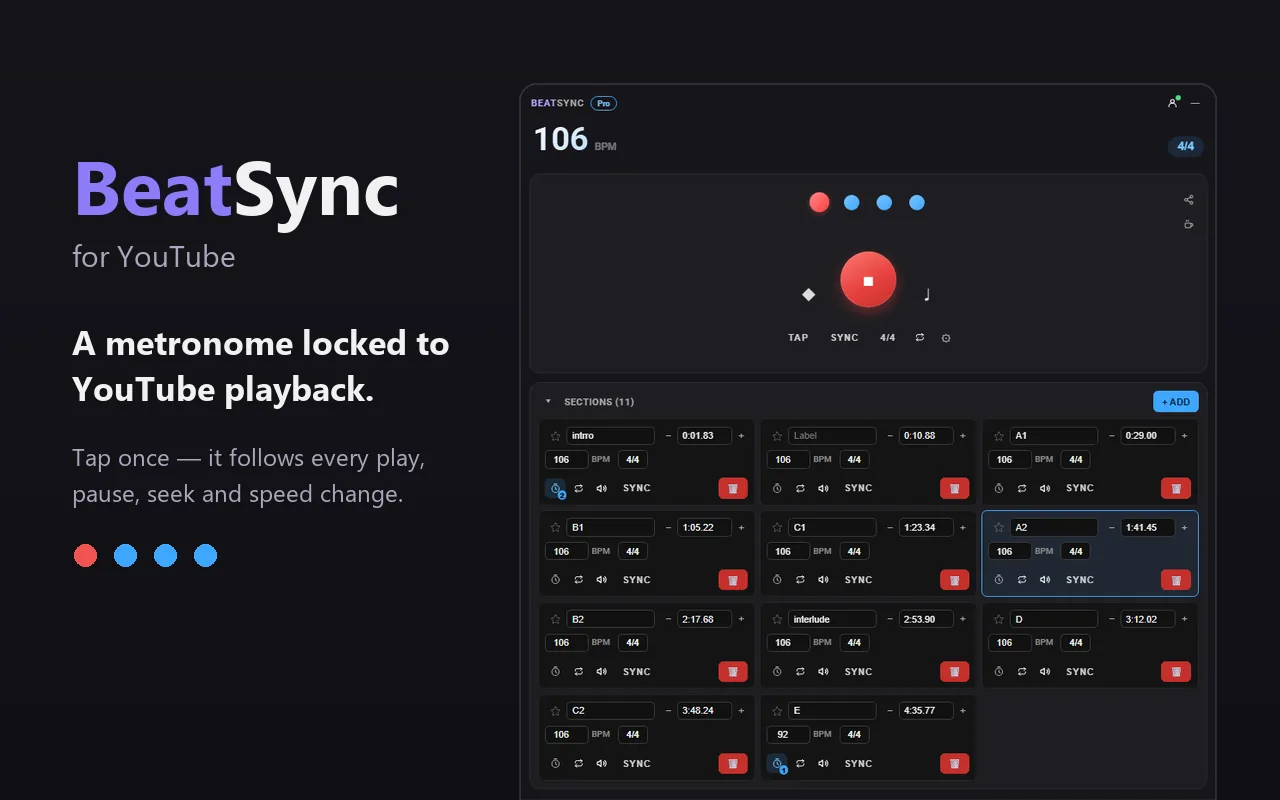
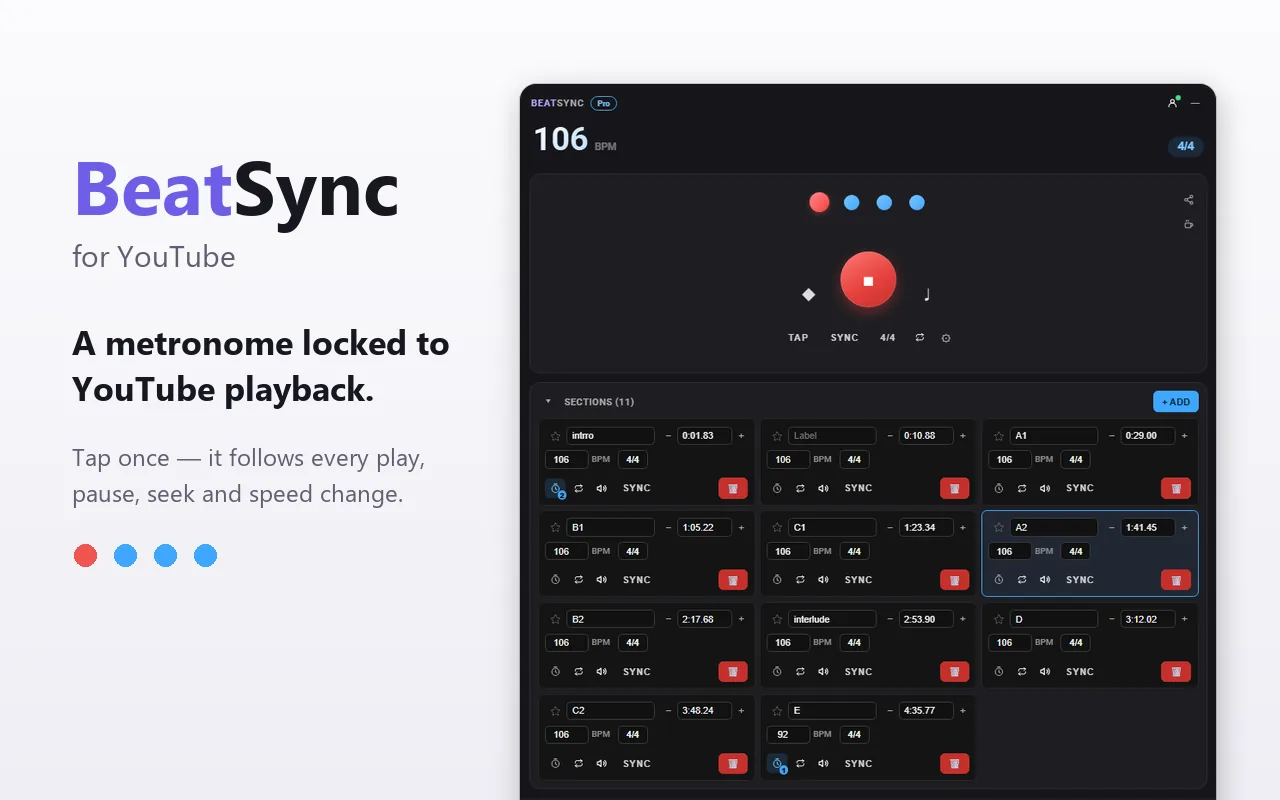
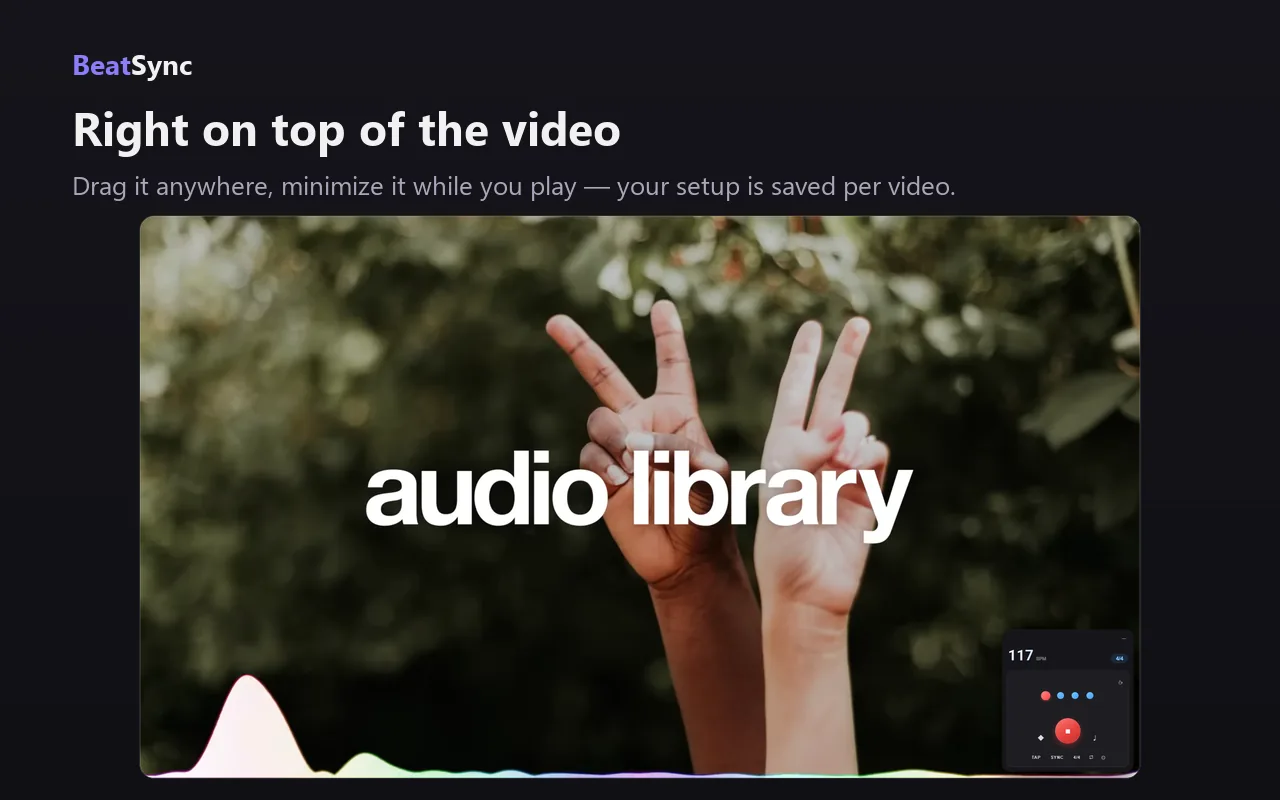
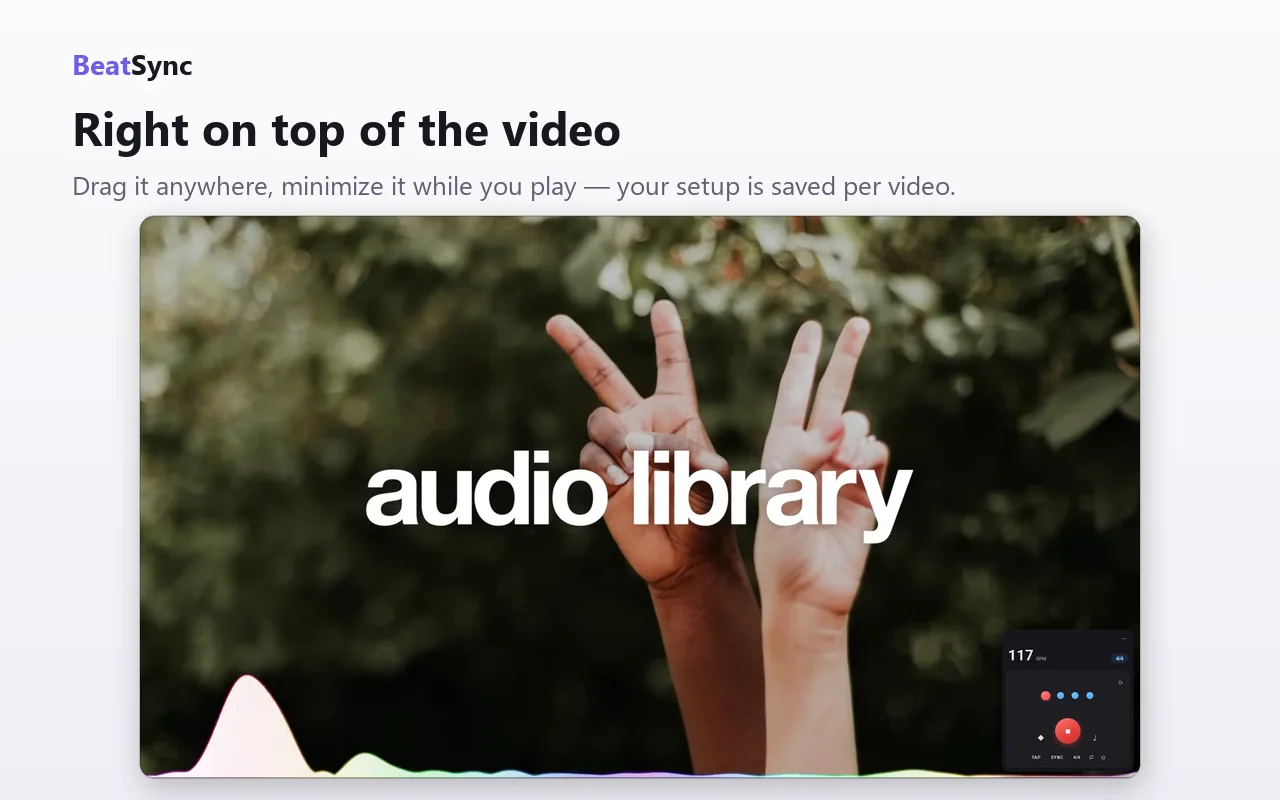
BeatSync is one draggable panel on top of YouTube — BPM, beat display, tap tempo, sections, files. No second tab, no app to switch to.
Minimize it and just play.
Drag the panel anywhere, shrink it to a corner while you practice. Everything you set up — tempo, sync, sections — is saved per video and comes back when you do.
Set it in seconds.
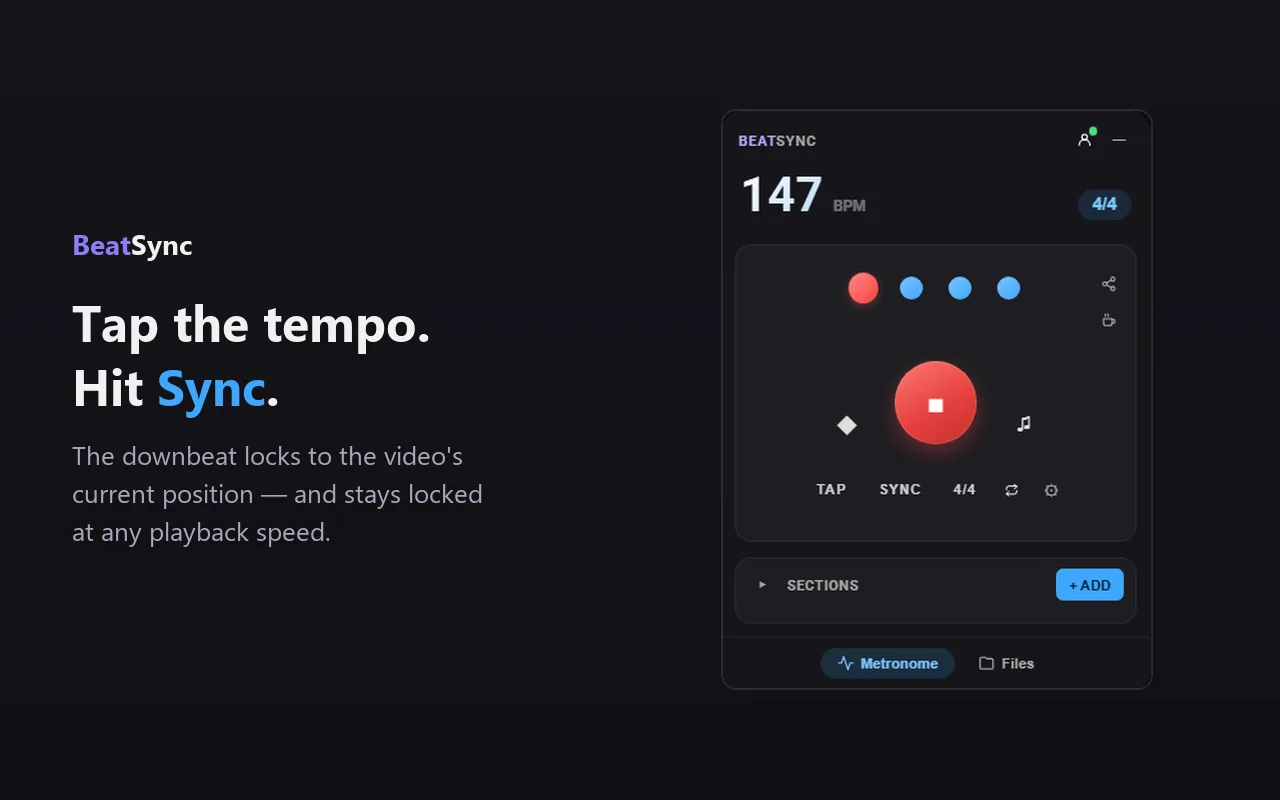
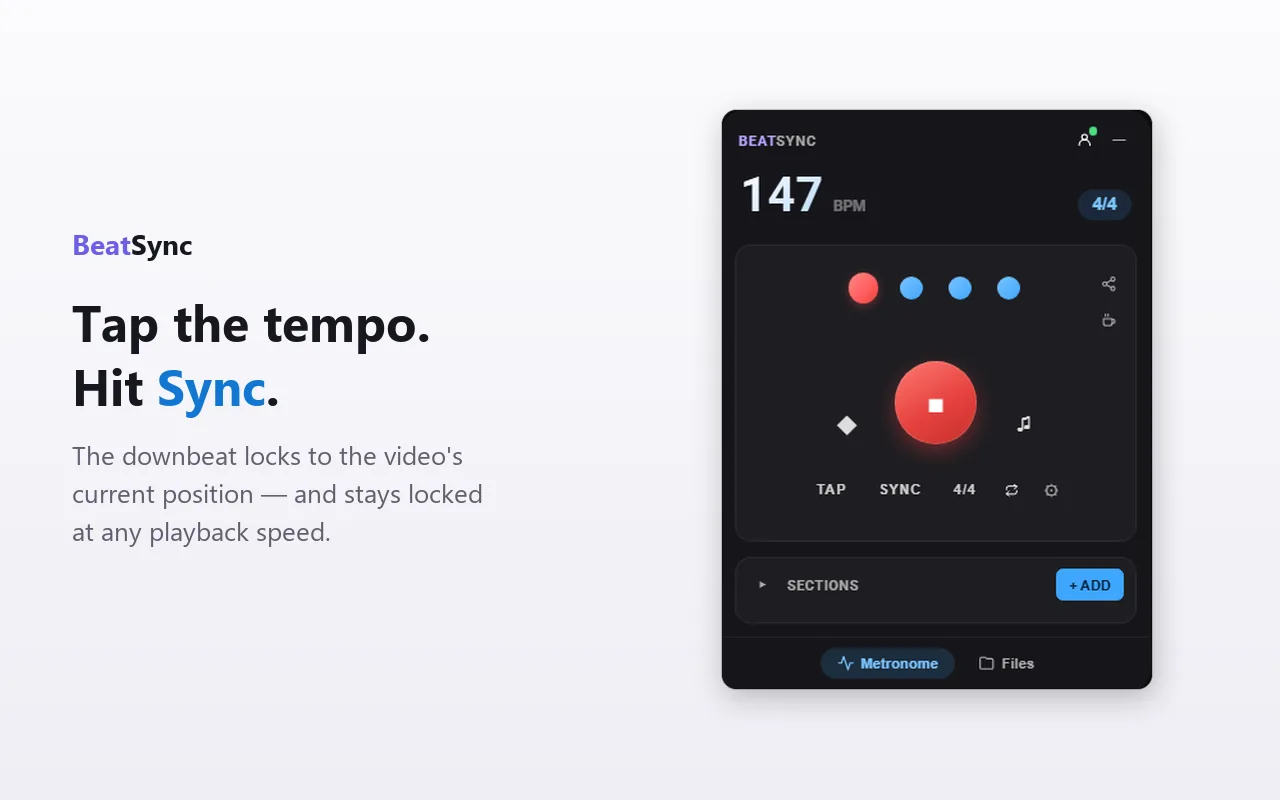
Tap the tempo a few times, then hit Sync to drop the downbeat on the video's current position. From there the click follows every play, pause, seek and speed change.
It can listen, too.
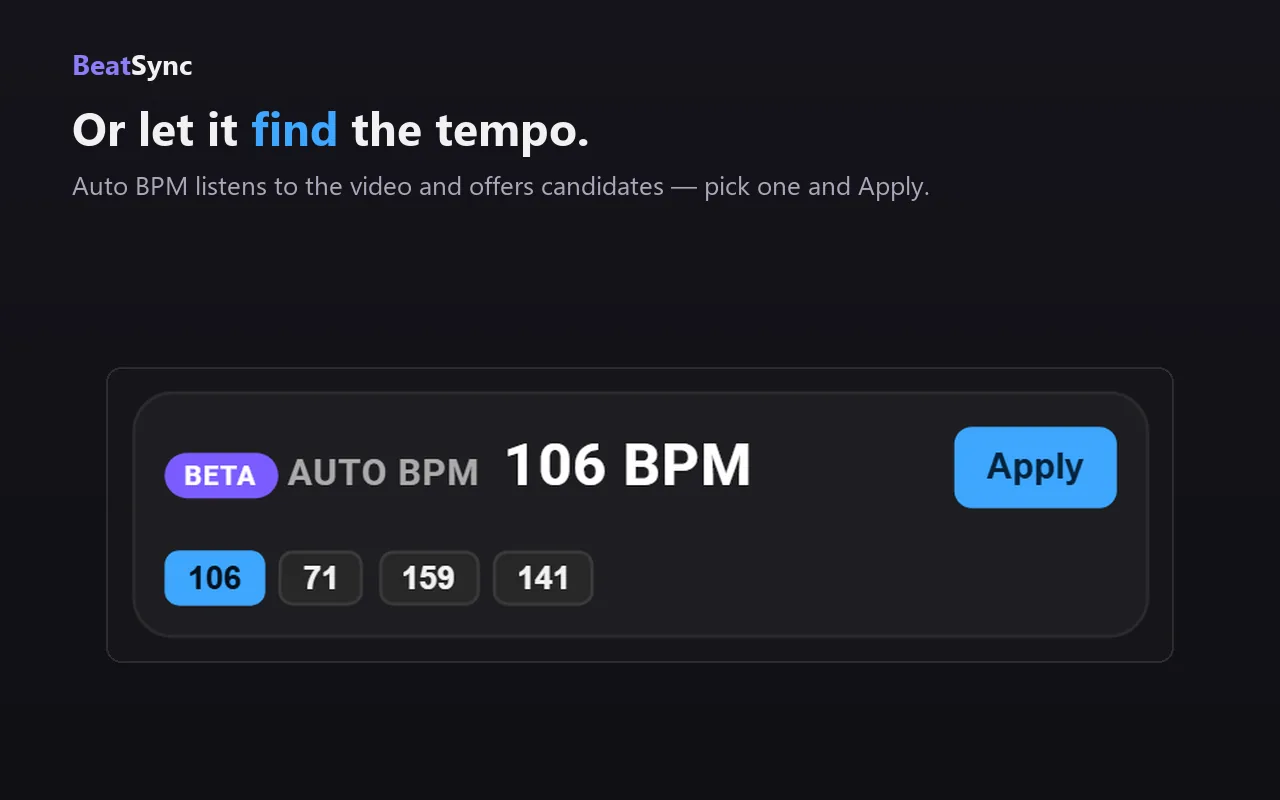
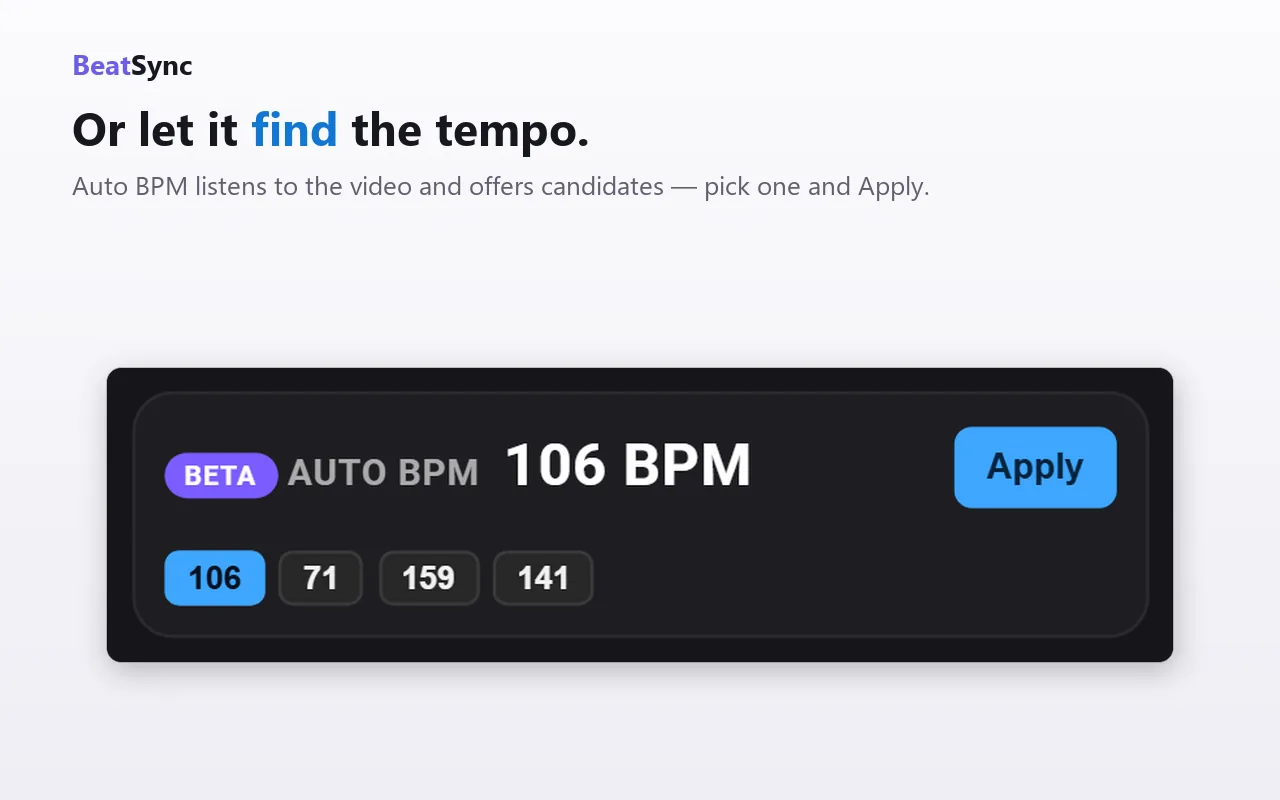
Auto BPM listens to the video and offers tempo candidates. Halved or doubled readings are a judgment call, so you pick the octave — then Apply.
Practice in pieces.
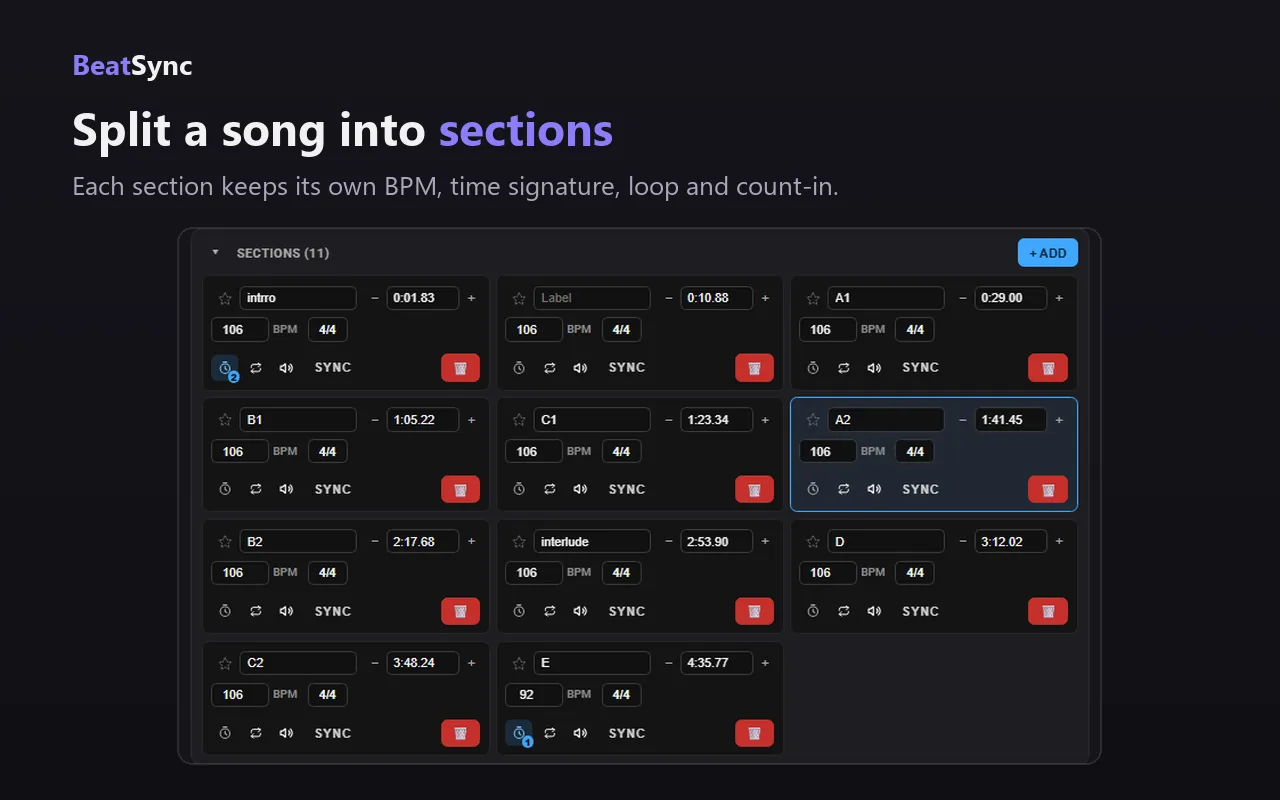
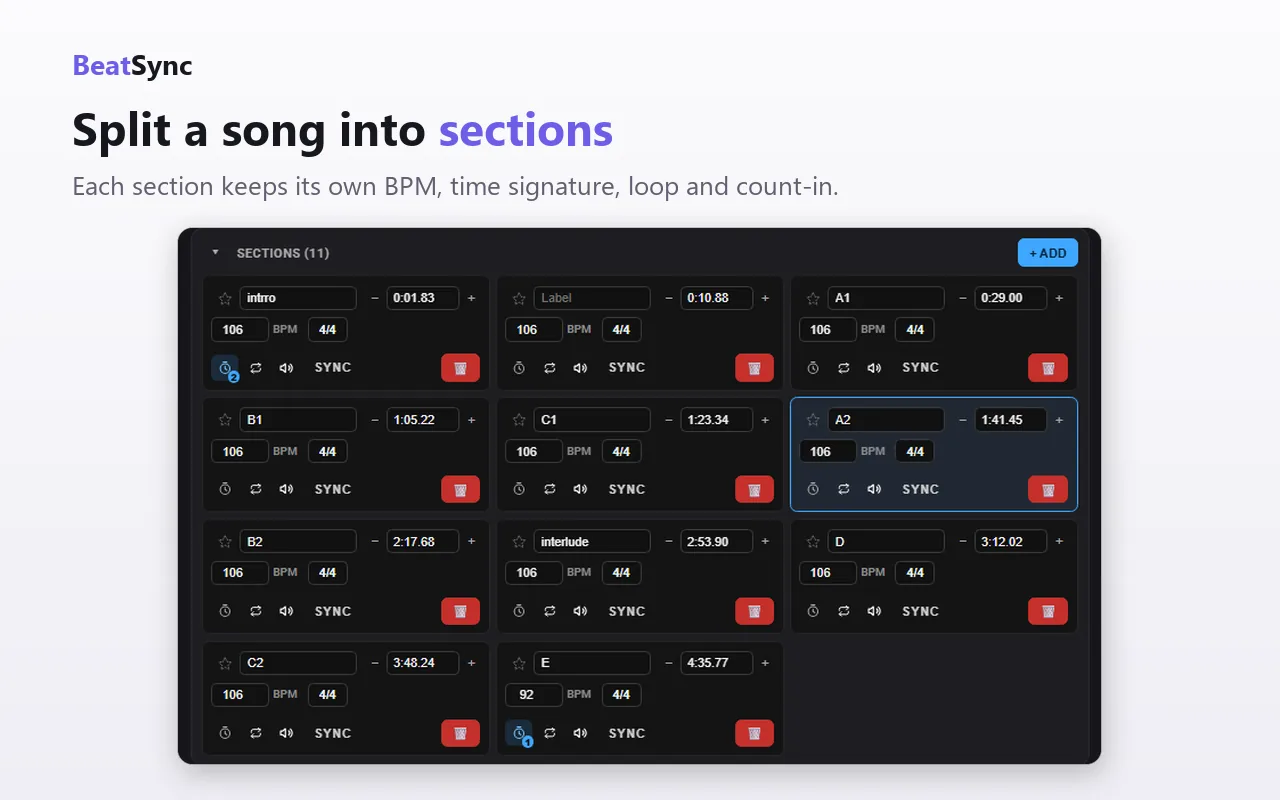
Cut a song into sections, each with its own BPM, time signature, loop and count-in. Songs that change tempo halfway through stay locked — the click switches with them.
Millisecond-close.
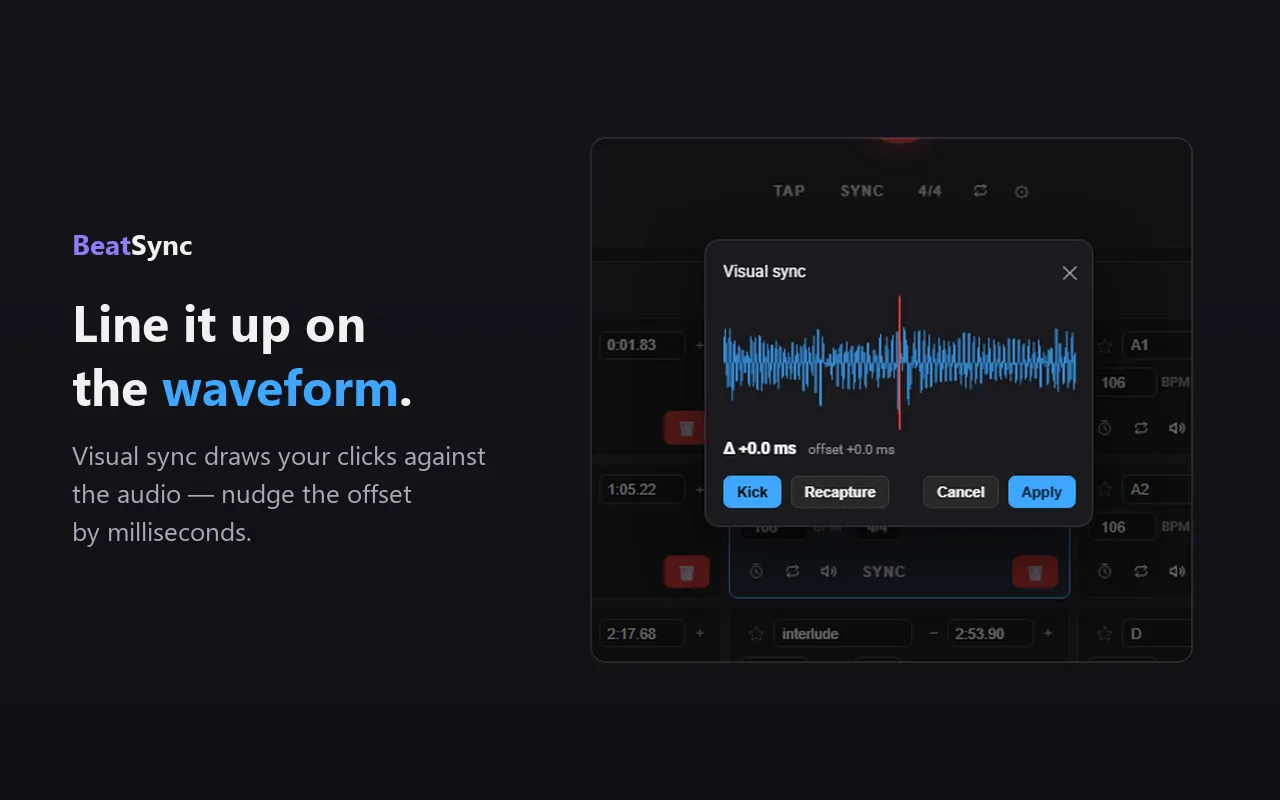
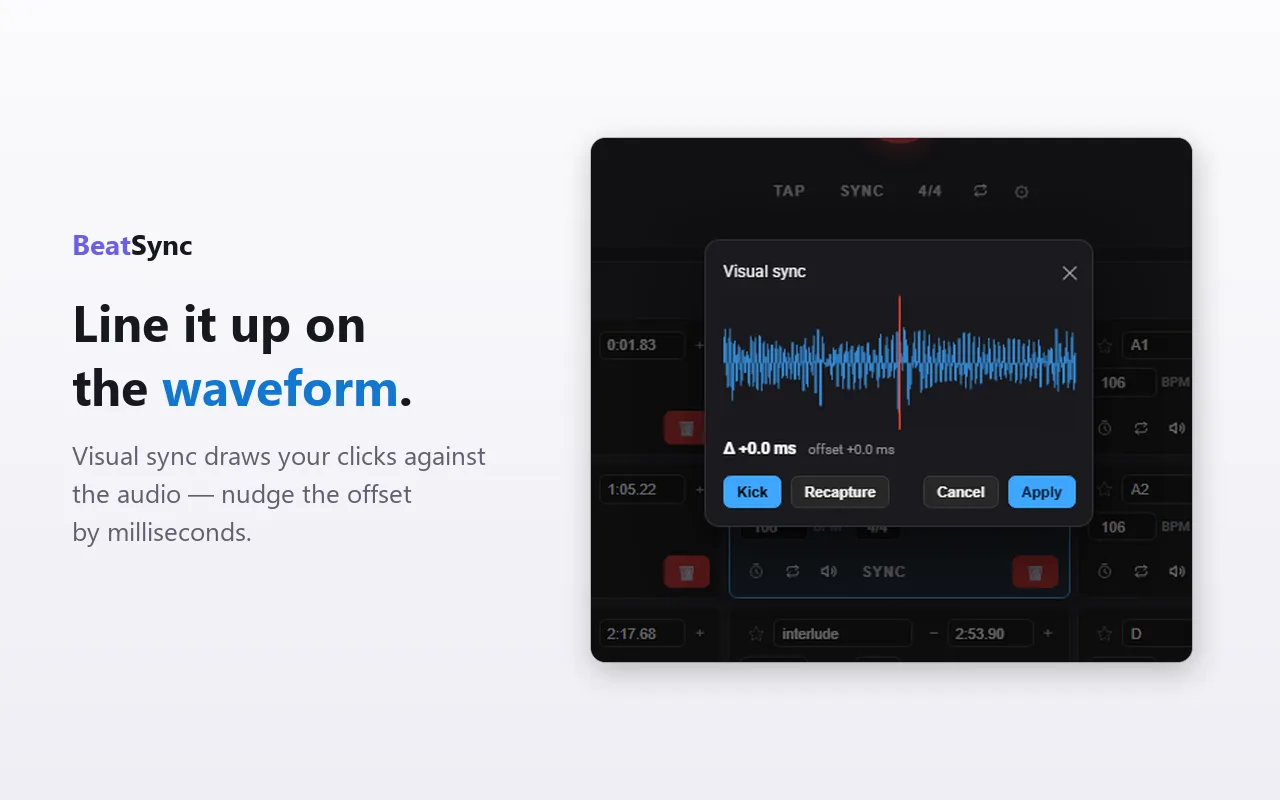
Visual sync draws your clicks on the audio waveform so you can see exactly where they land — then nudge the offset until it sits right on the beat.